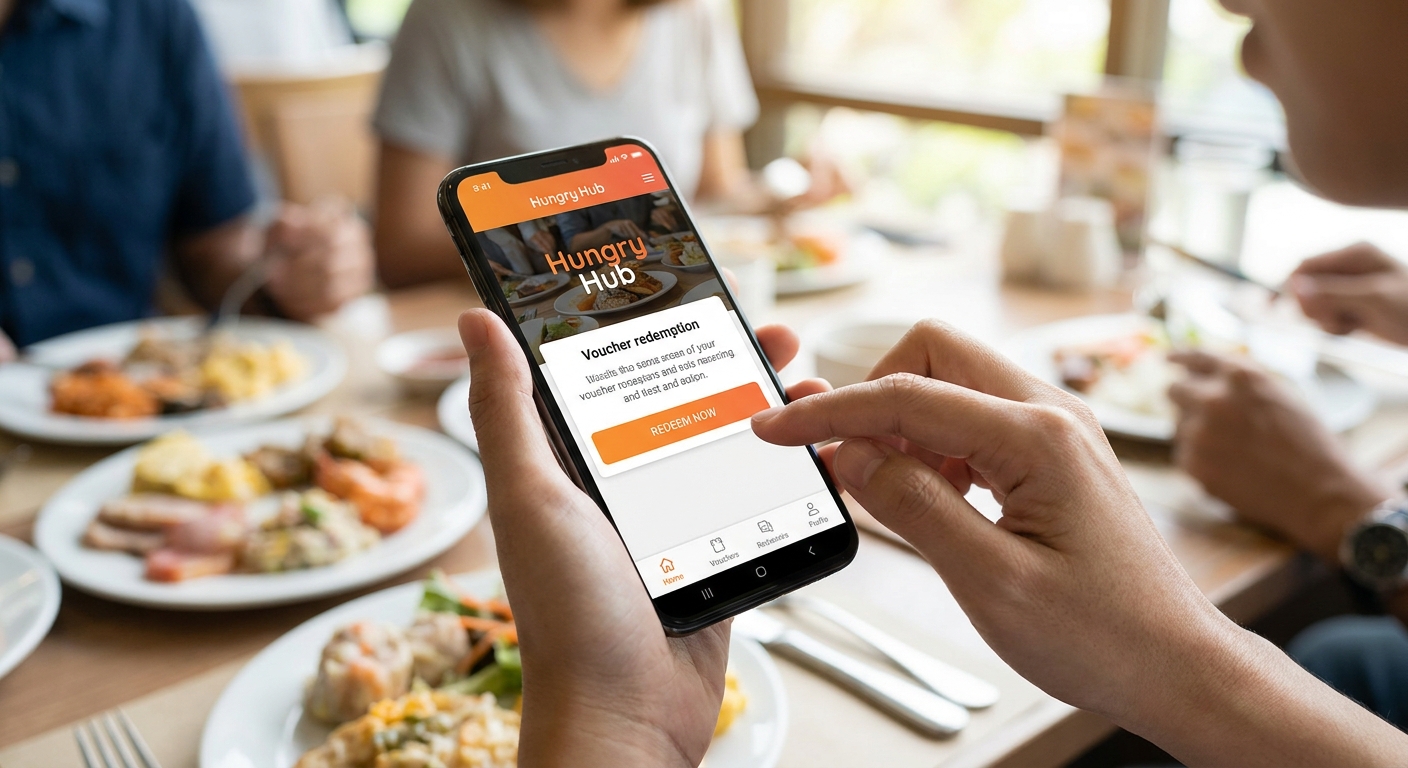
Redeeming a Hungry Hub buffet voucher takes less than two minutes once you know the order of operations: book, save the confirmation, and check in at the host stand. This guide walks through the exact steps to redeem a Hungry Hub buffet voucher — the process Thai searchers look up as "วิธีใช้คูปองบุฟเฟ่ต์ hungry hub" — plus the mistakes that cause redemptions to fail at the door in 2026.
- Hungry Hub vouchers redeem via your booking confirmation shown at the host stand — there's no separate discount code to enter.
- Book Bangkok buffet slots 24-48 hours ahead for weekends; same-day dinner reservations frequently show sold out in 2026.
- Screenshot your confirmation before you leave home — restaurant wifi in Bangkok is inconsistent and email loading fails often.
- Group bookings of 4 or more diners qualify for group buffet discounts booked through a dedicated group listing.
- Verdict: nearly every failed redemption traces back to wrong headcount, wrong date, or arriving outside the reservation window.
Why this matters
A discounted buffet reservation is only worth the discount if you actually get seated. Bangkok's busiest buffet restaurants — hotel spreads, shabu chains, rooftop venues — run at near-full capacity on weekends in 2026, and a mismatched reservation gets bumped to the walk-in line fast. Knowing the redemption sequence before you leave the house removes the single biggest source of friction diners report: standing at a host stand with no proof of booking.
Hungry Hub exists to solve the front half of that problem — locking in the seat and the deal. The back half, redemption at the restaurant, is where most confusion happens, and it's fixable with five minutes of prep.
What you'll need
- Your Hungry Hub booking confirmation (email or booking reference number)
- A screenshot of that confirmation saved to your phone's camera roll
- The name the reservation is booked under, matching a form of ID if the restaurant asks
- The correct final headcount — restaurants seat based on the number confirmed at booking
- A payment method, if your specific deal requires payment at the restaurant rather than prepayment
The steps
1. Book the buffet slot through Hungry Hub
Search the restaurant, pick the date, time, and headcount, and confirm the reservation. Buffet seating in Bangkok is capacity-capped per service, so the earlier you lock a slot, the more likely you get your preferred time. For Friday and Saturday dinner in 2026, book at least 48 hours out — you can book a buffet restaurant early to see exactly how far ahead popular venues fill up. A confirmation lands in your inbox within minutes of booking.
Common mistake: booking for 2 people when your actual group is 4. Restaurants seat to the confirmed headcount, and adding guests at the door isn't guaranteed.
2. Save the confirmation offline
Don't rely on opening your email live at the restaurant. Screenshot the confirmation the moment it arrives, including the booking reference number, date, time, and headcount. Bangkok mall and hotel wifi drops signal constantly, and a confirmation that won't load is functionally the same as no confirmation.
Common mistake: deleting the confirmation email after screenshotting an earlier, different booking and showing the wrong one at the door.
3. Arrive within your reservation window
Show up at or close to your booked time. Buffet restaurants release unclaimed tables to walk-ins once service gets busy, and arriving significantly late puts your seat at risk even with a valid confirmation.
Common mistake: treating the booking time as a loose estimate rather than a fixed slot, especially on weekend nights when the restaurant is fully booked.
4. Present your booking reference at the host stand
Tell the host you have a Hungry Hub reservation and show your screenshot or reference number. Staff cross-check it against their own reservation system. If the name on the booking differs from the person checking in, have the reservation name ready to state clearly.
Common mistake: assuming the restaurant automatically sees Hungry Hub bookings without you mentioning the platform by name.
5. Confirm what's included in your specific deal
Buffet deals vary — some include free-flow drinks, some are food-only, some run set time limits per seating. Check the listing you booked from and confirm the inclusions with your server before you start ordering, since terms differ restaurant to restaurant.
Common mistake: assuming every Hungry Hub buffet deal includes the same inclusions across every venue.
6. Settle any balance due
Most discounted buffet deals are paid at the restaurant unless the listing states prepayment. Check your confirmation for payment terms before you sit down so there's no surprise at the end of the meal.
Common mistake: confusing a discounted rate shown online with a fully prepaid voucher.
7. Leave a review after the meal
Hungry Hub prompts a review after your visit. This isn't required for redemption, but it helps other diners judge which 2026 buffet deals are worth booking.
Book your next buffet slot
Search dates, deals, and restaurants across Bangkok before slots fill.
Troubleshooting
"My confirmation email never arrived." Check spam and promotions folders first. If it's genuinely missing, log into your Hungry Hub account and pull the booking from your reservation history rather than waiting on email.
"The restaurant says they have no record of my booking." Show the timestamped screenshot with the booking reference. If staff still can't locate it, contact Hungry Hub support directly with the reference number rather than re-booking on the spot.
"I need to add guests after booking." Contact support before you arrive. Showing up with extra guests unannounced risks the table not fitting the group, since seating is planned around the confirmed headcount.
"I'm running late." Call the restaurant directly to flag it. A heads-up before your window closes is far more likely to hold your table than arriving unannounced.
"The price at the restaurant doesn't match the online listing." Pull up the exact listing page you booked from and raise it with the restaurant, then follow up with Hungry Hub support if it's not resolved on-site.
"I booked the wrong date." Check the booking management options on your confirmation before the reservation window closes — catching it early gives you the best shot at rebooking the right slot.
Tools and resources
- Your Hungry Hub account, where booking history and confirmations live
- A camera roll screenshot of every active reservation
- For larger tables, group buffet discounts run through a separate booking flow worth checking before you split into smaller reservations
- The specific restaurant listing page, which holds the actual deal terms for your booking
What to do next
Once redemption feels routine, the bigger lever is picking the right deal for your budget in the first place. If you're weighing multiple venues, choose the best buffet for your budget before locking a date, since price-per-person swings widely across Bangkok's buffet scene in 2026.
FAQ
How do I redeem a Hungry Hub buffet voucher?
Show your Hungry Hub booking confirmation, either the email or a screenshot with the reference number, at the restaurant's host stand. There's no separate discount code to enter — the reservation itself carries the deal.
Do I need to print my Hungry Hub confirmation?
No, a phone screenshot works fine and is more reliable than opening email live, since restaurant wifi in Bangkok can be inconsistent in 2026.
What happens if I arrive late for my Hungry Hub reservation?
Restaurants can release your table to walk-ins once service gets busy. Call ahead if you're running behind so the reservation isn't dropped before you arrive.
Can I change the headcount on my Hungry Hub booking?
Contact Hungry Hub support before arrival rather than adding guests at the door, since tables are seated based on the confirmed headcount at booking.
Is Hungry Hub better for group bookings than booking direct?
Group buffet discounts are available for bookings of 4 or more diners through a dedicated group listing flow, which can beat standalone restaurant pricing for larger tables.
What if the restaurant can't find my Hungry Hub reservation?
Show the booking reference number from your confirmation screenshot. If staff still can't locate it, contact Hungry Hub support directly rather than re-booking on-site.
Do Hungry Hub buffet deals include drinks?
It depends on the specific listing — some include free-flow drinks, others are food-only. Check the deal inclusions on the restaurant's listing page before you book.
How far ahead should I book a Hungry Hub buffet in 2026?
Book at least 24 to 48 hours ahead for weekend dinner slots, since popular Bangkok buffet restaurants fill their capacity quickly on Friday and Saturday nights.
One last thing
Weekday lunch buffets redeem with far less friction than weekend dinners. Lunch slots at hotel and rooftop buffets in Bangkok fill slower through 2026, which means less risk of a late arrival costing you the table and more room to sort out any confirmation hiccup before you sit down.